
Register Your Product
Registering unlocks the free, customizable digital version of your purchase.
Sign in or create an account
Either Log In or Create an Account (New Users will need to create an account)
Go to your registered products
Once logged in to your account, you should see your account Dashboard; on the left hand side of the page in the grey menu box, click on My Registered Products
Click Register Product
Click on the red/brown button that says Register Product
Enter your product details
Enter the requested information and click “Submit” at the bottom of the page (you’ll need the item SKU and registration code for this step; if you do not have this information, please contact topscs@tops-products.com and include the name of the kit you purchased)
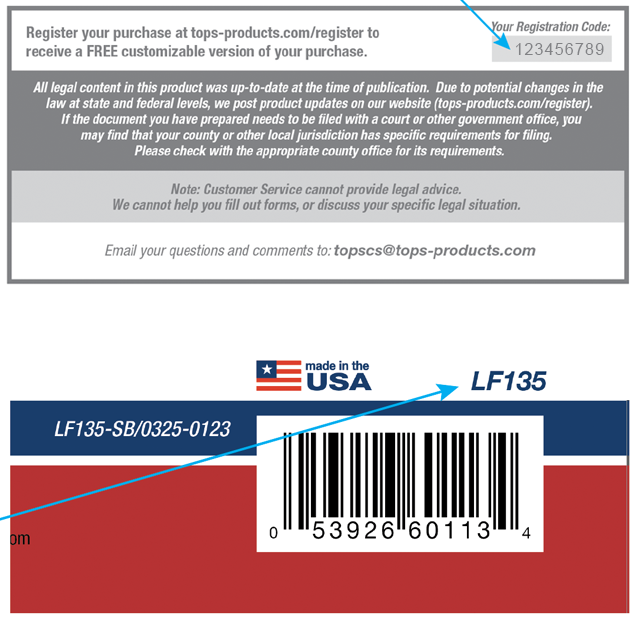
Your registration code is printed on the insert sheet inside the packaging.
Download Your Product
Once your product is registered, follow these steps to download your documents.
Click the “Sign In” at the top of the website (If you are already signed in to your account, skip to Step 3)
Log in to your account
After logging in, click “My Account” and then “Account Dashboard”
Click the “My Registered Products” link on the left-hand side of the website
Your registered item should be listed; click on the word “Download” on the far right side of the line on which your registered item is listed
The documents will download directly to the Downloads folder on your computer. Please note, there may be sub-folders with additional or state-specific documents, so be sure to double-click on all downloaded documents and/or folders.
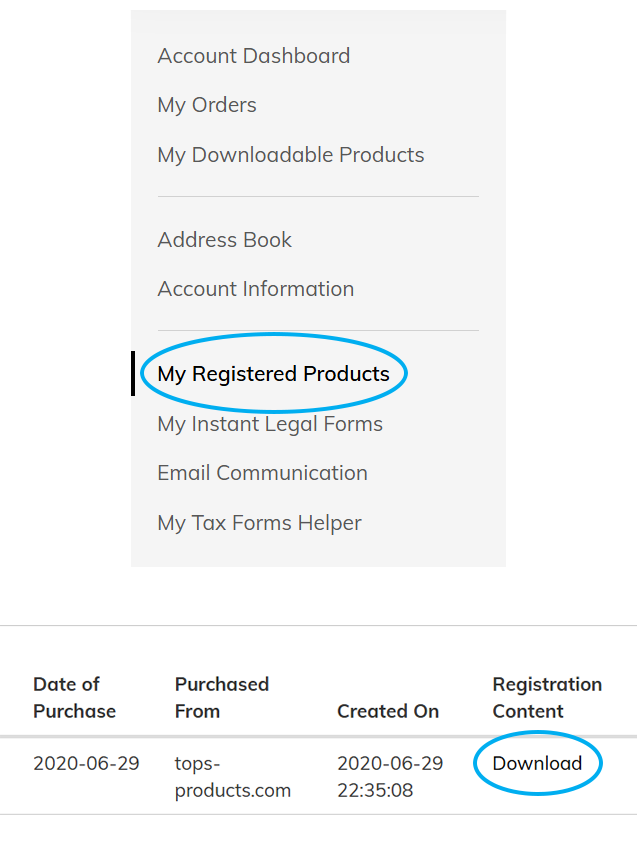
Accessing your purchased content is easy: Register, Download, then complete your documents.
Every Package Includes What You Need
The SKU and registration code are printed right on the product and insert sheets.
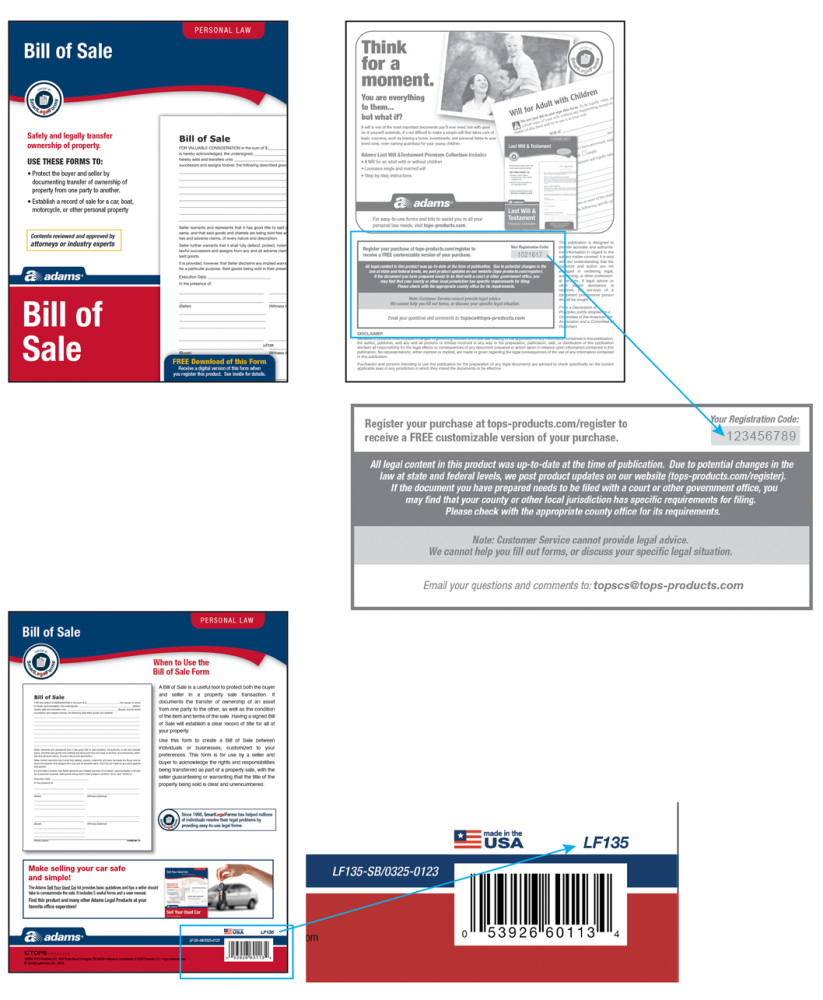
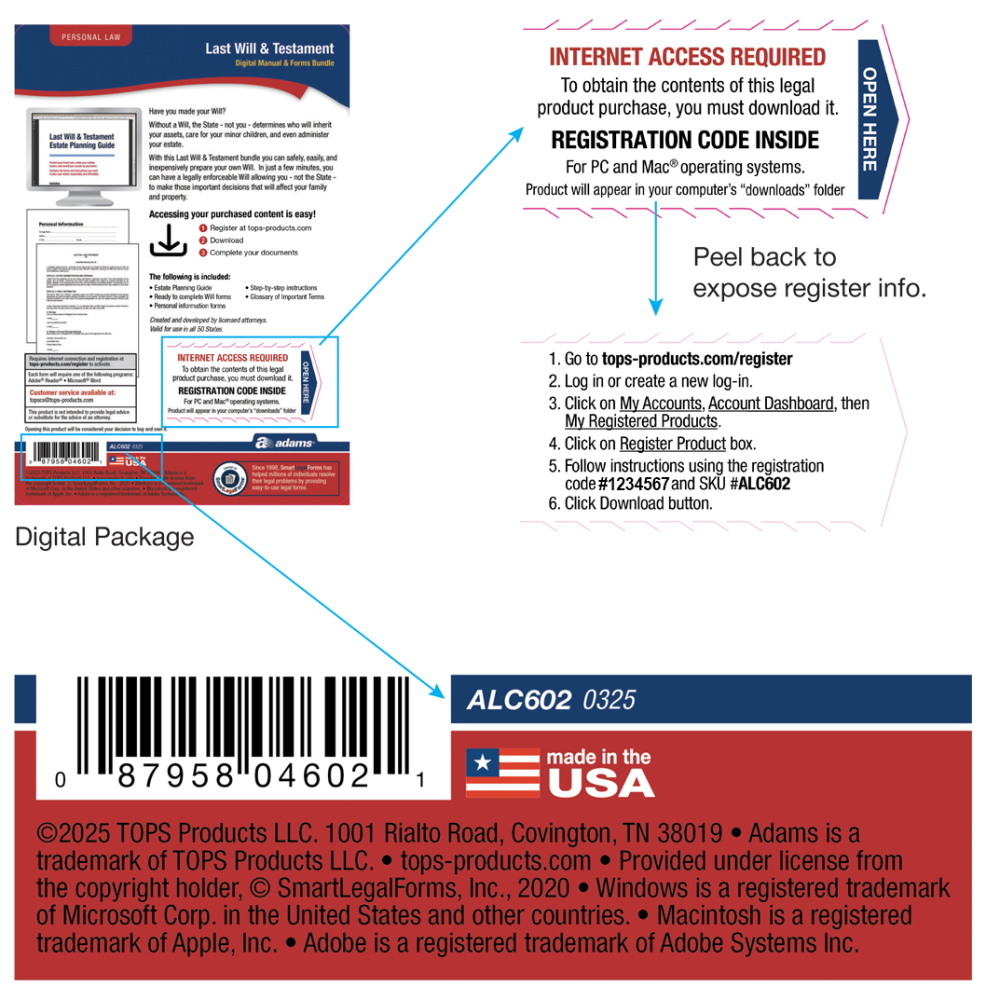
Don't have your SKU or registration code?
Email topscs@tops-products.com and include the name of the kit you purchased, and our team will help you get registered.